
September 21, 2026 · Michael Rodriguez

Zapier, n8n, or Custom Code: Which Automation Layer Fits Your First Agent?
Builder field-notes on picking the right automation layer for your first AI agent. Honest tradeoffs between Zapier, n8n, and writing your own code.
The short answer
Definition
Automation Layer: The middleware that connects your AI model to the outside world: databases, APIs, messaging apps, and triggers. Without one, your agent can think but cannot act on anything beyond a chat window.
Every agent needs a nervous system. The model is the brain, but the automation layer is what lets that brain send an email, update a row in Airtable, post a Slack message, or pull a lead from a CRM. Choosing the wrong layer early does not kill the project, but it does create rework. This post lays out an honest ledger for each option so you can match the tool to where you actually are right now.
What does each tool actually do?
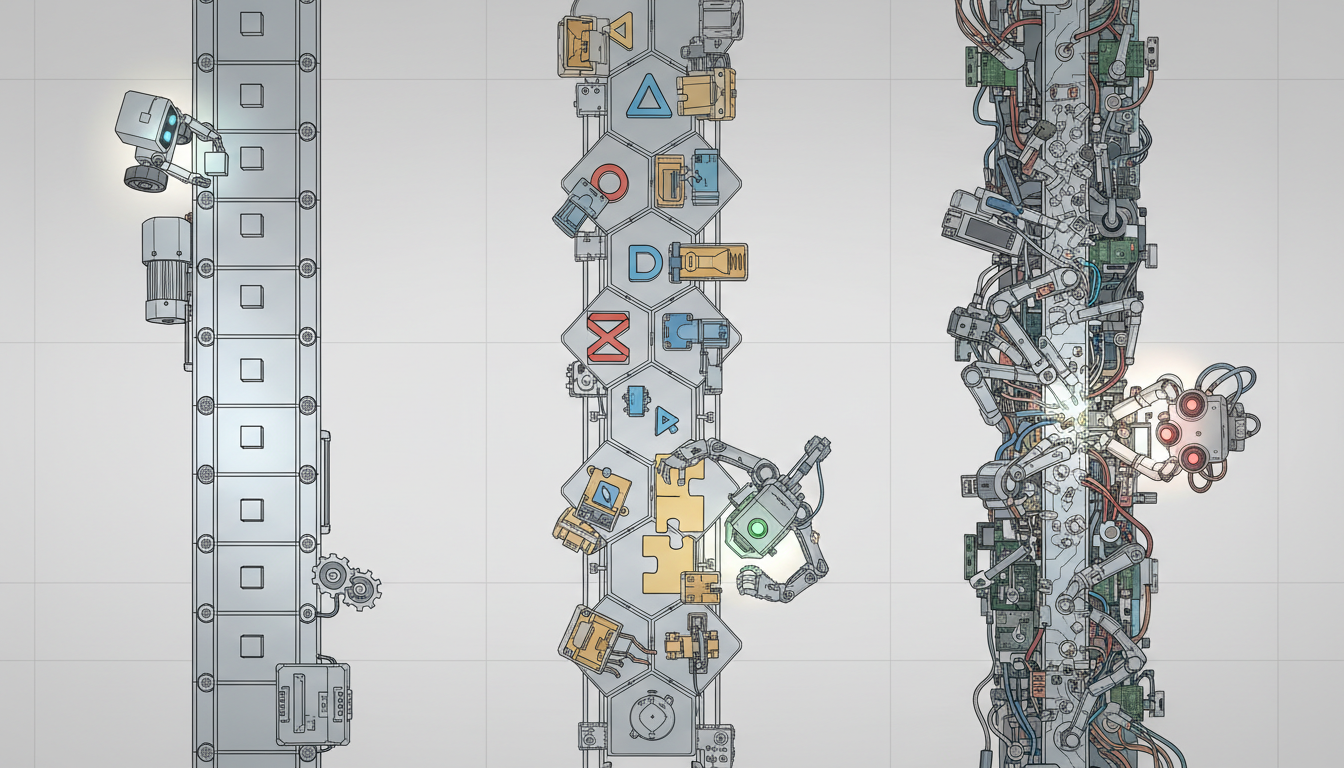
Zapier is a hosted, no-code workflow builder with a large library of pre-built app connectors. n8n is an open-source workflow automation tool you can self-host or run on n8n Cloud, with a visual canvas and the ability to drop raw JavaScript or Python into any node. Custom code means you are writing the orchestration logic yourself, typically in Python or Node.js, using libraries like LangChain, LlamaIndex, or plain HTTP calls.
Note
How do the tradeoffs stack up side by side?
Here is a plain comparison across the dimensions that matter most when you are building agent number one.
| Dimension | Zapier | n8n | Custom Code | |---|---|---|---| | Time to first working flow | Under two hours | Half a day | Days to a week | | Monthly cost at low volume | Free tier available; paid plans start around 20 dollars | Free self-hosted; cloud starts around 20 dollars | Server or cloud compute costs only | | Connector library | Over 6,000 apps | Around 400 native integrations, plus HTTP for anything else | Unlimited via any API | | Branching and logic depth | Limited multi-step logic | Full visual branching, loops, sub-workflows | No limits | | Ability to run long tasks | Timeout limits on most plans | Configurable on self-hosted | Full control | | Vendor lock-in risk | High: workflows live in Zapier's cloud | Medium: open source, portable JSON exports | None | | Debugging experience | Basic error logs | Node-level execution history | Full stack traces | | Maintenance burden | Near zero | Moderate if self-hosting | High |
The question is not which tool is most powerful. The question is which tool lets you learn the most about your agent's real failure modes before you spend weeks on infrastructure.
When does Zapier make sense for a first agent?
Zapier is the right call when your agent's actions are simple, well-defined, and involve apps that already have Zapier connectors. If your agent needs to receive a form submission, run it through an OpenAI call, and post the result to Slack, Zapier handles that in about thirty minutes. The OpenAI and Slack connectors exist, the trigger is obvious, and you do not need to think about servers.
Zapier also makes sense if the person building the agent is not a developer. The visual interface lowers the barrier enough that a solo operator can own the whole stack without outside help.
The ceiling shows up when you need loops, conditional branching more than two levels deep, long-running tasks, or access to data sources that do not have native Zapier connectors. At that point you are either paying for a high-tier plan or hacking around limitations in ways that create fragile flows.
When does n8n fit better?
n8n is the right call when you need real branching logic, want to inspect exactly what is happening at each node, or need to connect to something with no pre-built connector. The HTTP Request node means you can hit any API. The Code node means you can write actual JavaScript when the visual interface is not enough.
Self-hosting n8n on a small VPS costs around five dollars a month and removes the volume-based pricing pressure. That matters once your agent is running hundreds of executions per day.
The tradeoff is setup time. If you have never spun up a VPS, configured a reverse proxy, and managed environment variables, that is a real half-day of work before you write a single workflow node. n8n Cloud removes the ops burden but brings the pricing back up.
Note
For more on structuring multi-step agent workflows, the patterns covered in 10-agent builds show where visual workflow tools start to strain and where code takes over.
When should you write your own code from day one?
Custom code is the right starting point only if your agent requires something no visual tool can express: stateful memory that persists across sessions, dynamic tool selection, complex retrieval-augmented generation pipelines, or multi-agent coordination where agents spawn sub-agents.
If you are already comfortable with Python and you know the agent's logic will be genuinely complex, skipping the no-code layer saves you from a migration later. Libraries like LangChain have extensive documentation and a large community, and frameworks like LangGraph give you explicit state machine control over agent behavior. The LangChain documentation is a reasonable starting point for understanding what the code layer actually gives you.
The honest cost of custom code is maintenance. You own the infra, the error handling, the retry logic, and the monitoring. For a first agent, that overhead often slows learning more than it accelerates it.
Source: n8n GitHub Repository, 2024
What does a realistic migration path look like?
Most builders follow a path that looks roughly like this.
This path is not a failure of planning. It is how you learn what the agent actually needs without over-engineering upfront. The Zapier prototype reveals which steps are fragile. The n8n rebuild fixes those with real branching. Custom code enters only when the logic demands it.
More build patterns across this progression are documented in the agent build archives.
Which tool has the lowest floor for total beginner builders?
Zapier's floor is lowest. The interface is forgiving, the documentation is written for non-developers, and the error messages are plain English. If you have never built any kind of automated workflow, Zapier teaches you the mental model of triggers, actions, and data mapping without any setup overhead.
Once that mental model is solid, moving to n8n or code feels like upgrading tools, not learning a new concept. The underlying logic of agent automation is the same across all three layers.
For a broader picture of how automation layers fit inside a full agent architecture, the 10-agent overview walks through the stack from model to memory to action layer.
Zapier publishes its own connector count and platform updates in their product blog, which is worth bookmarking for tracking new AI-related integrations as they ship.
Michael Rodriguez
Michael Rodriguez has spent 20 years on a dealership floor. With no tech background, he built and runs 22 production AI agents across four businesses on less than $50 a month, in evenings and lunch breaks. Agent Empire is where he ships it in public.
Building agents around a day job? Agent Empire is where operators ship it in public, together. Come build with us.